Many websites are not broken — they’re just unclear.
If your website is not bringing inquiries, one of the issues below is usually the reason.
If you just want a clear answer:
👉 Run a quick website diagnostic→ $19
My website is not getting inquiries
Visitors are coming, but no one is reaching out.
👉 See why this happens →
People visit my website but don’t contact me
People browse, but leave without taking action.
👉 See why this happens →
My forms are not converting
Visitors start filling out forms but don’t complete them.
👉 See why this happens→
I don’t know if my website is working
You’re not sure how many visitors you get or what they do.
👉 See why this happens →
My Google Ads are not bringing results
You’re paying for traffic, but not seeing inquiries.
👉 See why this happens→
My website gets traffic but no sales or leads
Visitors are coming to your website, but nothing is happening.
No inquiries, no purchases, no clear results.
👉 See why this happens →
Tracking and analytics issues
Some problems are not visible on the surface.
They come from how your website tracks visitors and actions.
Tracking issues often come from setup problems like GA4 configuration, Google Tag Manager, or theme and app changes.
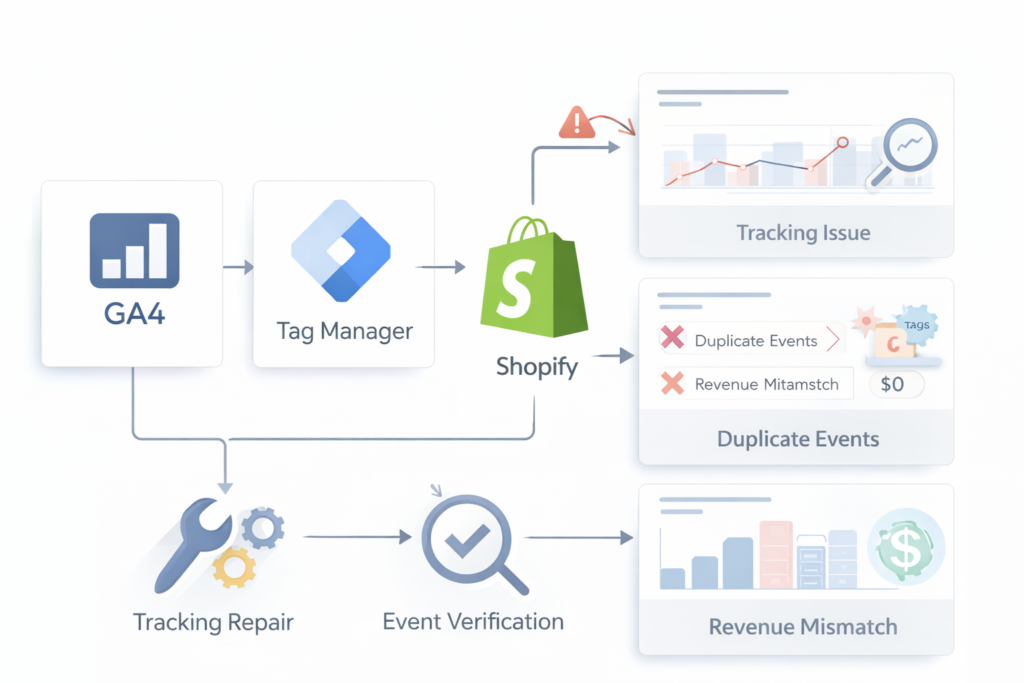
Common causes of tracking and analytics issues
Most analytics issues originate from a few configuration problems:
• Duplicate GA4 installations
• Google Tag Manager containers not firing correctly
• Missing purchase events
• Theme updates breaking event triggers
• App conflicts affecting scripts
Not sure where the break is?
Start with the most common problems below.
GA4 Events Not Firing
Events or conversions not appearing in GA4 reports. This usually occurs when GTM triggers fail or tags are blocked.
GTM Not Firing Tags
Tags failing to trigger due to container configuration or missing triggers.
Conversion Not Recording
Purchase or revenue events missing from analytics reports.
GA4 Stopped Working (What Broke and How to Fix It)
Analytics suddenly stops updating after a theme change, plugin install, or migration.
GA4 DebugView Not Working
Debug mode not detecting events during testing.
Still unsure where the issue is?
Many Shopify analytics problems come from small configuration mistakes in GA4 or Google Tag Manager.
A structured diagnostic can quickly identify the source.
If the issue is difficult to diagnose or you prefer a structured review,
the GA4 Tracking Diagnostic identifies the root cause quickly.
👉 Run a quick website diagnostic→ $19

© 2026 Operational Memory · Privacy Policy · Terms of Service · Specified Commercial Transactions Act