When GA4 suddenly stops working, it’s almost never random.
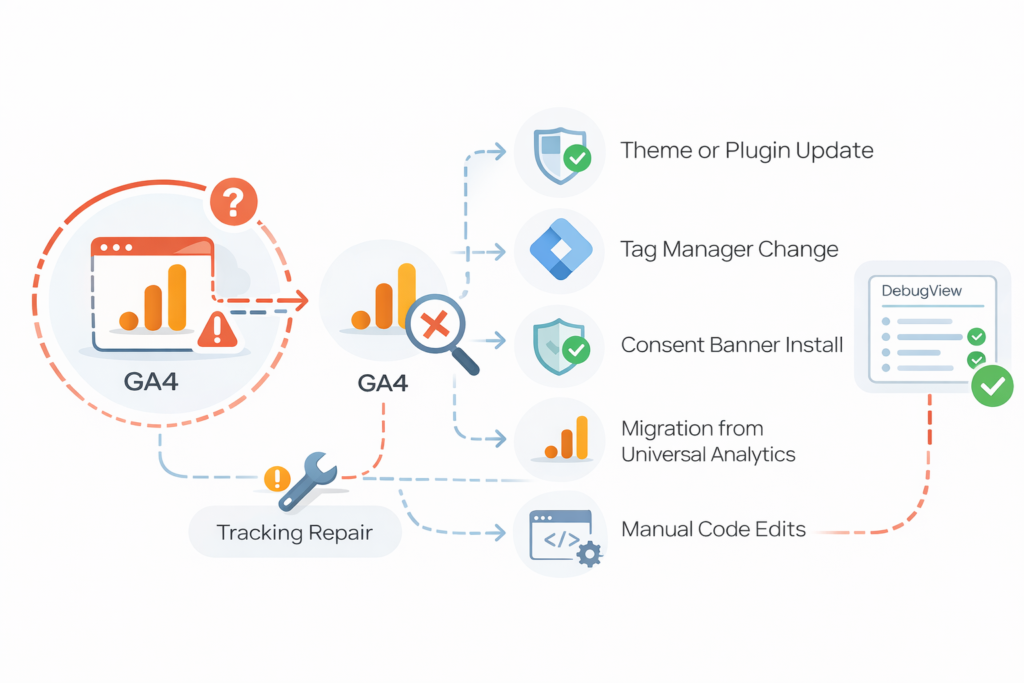
Something changed.
Tracking failures usually follow:
- A theme or plugin update
- A Google Tag Manager modification
- Consent banner installation
- Migration from Universal Analytics
- Manual code edits
- Hosting or caching changes
GA4 does not “break” on its own. Configuration changes break it.
If you’re unsure where the tracking break occurs:
What “Stopped Working” Actually Means
It usually appears as:
- Sessions drop to zero
- Events disappear
- Conversions stop recording
- DebugView shows nothing
- Only page_view works
Different symptoms point to different failure layers.
Where the Break Usually Happens
1) Tracking script removed or duplicated
- Theme update removed gtag or GTM snippet
- Plugin deactivated
- Multiple GA4 installs conflicting
2) Consent mode change
- analytics_storage now denied
- Consent timing changed
- Tags fire before consent update
3) GTM container change
- Trigger edited
- Tag removed
- Container unpublished
4) Wrong property or stream
- Measurement ID mismatch
- Events sent to different GA4 property
If the cause isn’t obvious, Run Free GA4 Diagnostic and identify where tracking breaks between Shopify, GTM, and GA4.
Quick Triage
- Check if page_view fires
- Check GTM preview
- Check DebugView
- Confirm Measurement ID
- Confirm consent state
From there, you isolate the failure layer.
If the Break Is Event-Specific
If events stopped but page views still work, see:
If GTM triggers never activate, see:
Not sure what’s broken?
Run a quick GA4 tracking diagnostic to identify the issue.
Diagnostic fee is credited toward repair if you proceed.

© 2026 Operational Memory · Privacy Policy · Terms of Service · Specified Commercial Transactions Act
Proudly powered by WordPress